Stackato
Stackato Console: Getting Help
A guide to the Stackato documentation and support options (including public forum and IRC)
Stackato Console: Views
An overview of various views available in Stackato, depending on user role and cluster or microcloud
Stackato Console: Users and Groups
How to configure and use the Users and Groups features in Stackato
Stackato Console: App Store
An overview of the Stackato App Store: a customizable repository of applications available for one-click deployment in Stackato
Stackato Console: Custom App Store
How to customize the Stackato App Store for your own organization, including populating it with your own applications
Stackato Console: Settings Overview
How to configure various Stackato settings from within the web console
Stackato Console: Cluster Administration
How to configure various Stackato settings from within the web console
Stackato: Installing the Stackato Command Line Client
How to install the Stackato command line client
Stackato: Client Push
An overview of how to push applications to Stackato using the Stackato command line client
Stackato with Eclipse and Spring Tool Suite (STS)
An overview of how to use Spring Tool Suite (STS) and Eclipse to deploy applications to Stackato
Komodo IDE and Stackato
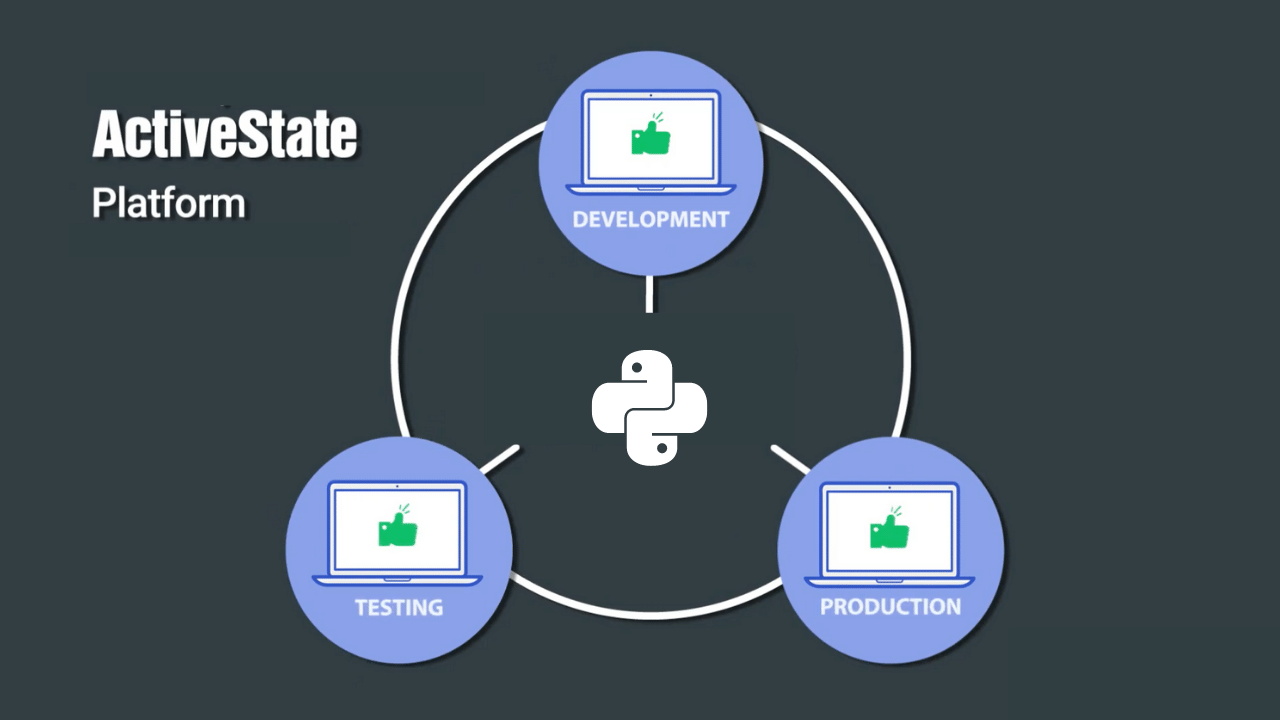
Stackato is ActiveState's cloud application platform for creating a private PaaS. Komodo is ActiveState's cross-platform multi-language IDE. This video shows you how you can use them together to deploy applications and inspect the automatically provisioned databases.
Stackato on HP Cloud Services
Stackato is a cloud application platform based on Cloud Foundry for creating a private PaaS. This video shows deploying an application to a locally running "micro cloud" then re-targeting and deploying the same application to a Stackato cluster running on HP Cloud Services.
It also show the new Stackato interface in Komodo IDE 7 and touches briefly on the use of the 'stackato run' command and post-staging hooks.
Komodo IDE
Code Collaboration
Komodo IDE 7 features collaborative editing. Share code with other developers in collaborative sessions that allow two or more users to work on a file at the same time. Code Collaboration shares changes with other authorized Komodo IDE users in real time, with helpful highlights to identify what was added, what was removed, and who made the changes.
Code Profiling
New in Komodo IDE 7 is the Code Profiling tool for Python and PHP. Run your application, then view a graphical representation of the code profiling results, showing you what parts of your code are taking longest to execute.
Komodo IDE for Django
There have been a number of improvements to Django support in Komodo 6.1. In this screncast, Todd Whiteman shows off autocompletion and calltips in Django templates and Python files, preview the templates in Komodo, and usng "Fast Open" to quickly locate and open project files.
Komodo IDE: Project Enhancements in 6.1
ActiveState's Eric Promisow demonstrates some of the new Project features in Komodo 6.1 including groups, file and folder links, and the ability to open multiple projects and project toolboxes.
This will be of particular interest to Komodo 5 users who used "live" and virtual folders in the old project system - these features have been brought back in the new Projects & Places interface.
Komodo IDE for Python: Syntax Highlighting and Folding
First of three screencasts showcasing the Python features of ActiveState's Komodo IDE. This one is focused on Python Syntax Highlighting and Code Folding.
Komodo IDE for Python: Code Intelligence
Second of three screencasts showcasing the Python features of ActiveState's Komodo IDE. This one is focused on Python Code Intelligence.
Komodo IDE for Python: Debugging
Third of three screencasts showcasing the Python features of ActiveState's Komodo IDE. This one is focused on Python Debugging.
Komodo IDE: Vi Key Bindings
A demonstration of Komodo IDE's Vi Emulation. ActiveState's Todd Whiteman steps through how to set Komodo to emulate Vi/Vim, shows a few editing and navigation tricks, and demonstrates the ":command" field for performing substitutions and running shell commands.
Komodo IDE: Better JavaScript calltips using JSDoc comments
A short demonstration of how to use JSDoc-style comments to provide type hinting and more descriptive calltips in ActiveState's Komodo IDE.
Komodo Abbreviations: Inserting Snippets by Name
A look at how to use Komodo's Abbreviations feature to insert language specific snippets in your code. Tabstops (which modify editing behavior) are demonstrated in the context of the inserted snippets.
The New Toolbox
What's new in the Toolbox in Komodo 6, including how and where tools can be stored, and an introduction to the Invoke Tool feature.
Publishing
A quick demonstration of the Publishing feature in Komodo IDE, showing how to keep two groups of files (local and remote) in sync.
Database Explorer
We wanted to add a tool to Komodo to make it easy to see what your data is doing, so we built the Database Explorer. This screencast will give a quick overview on how to use it:
- database connections
- exploring
- inspecting and querying
- database support
- extension developers
Rx Toolkit - language-specific regex support
Language-specific regular expression support in Komodo IDE 6's Rx Toolkit.
Introduction to Komodo IDE
This screencast features Komodo 4.1, but all features highlighted are present in the current version, including:
- supported languages, and code intelligence in multi-language documents
- graphical debugger, breakpoints, variable viewer
- code browser and DOM viewer
- Rx Toolkit
- HTTP Inspector
- customizing key bindings and color schemes
- the Open/Find toolbar
- Vi emulation
- projects
- commands, snippets, macros and a number of other toolbox components
Adding Support for Additional XML Document Types
Komodo can provide auto-completion for custom XML document types. This screencast shows how.
Ruby on Rails 2 Support in Komodo
Working through the creation of a Ruby on Rails application using Komodo IDE. Highlighted features include:
- the Ruby on Rails project template
- scaffold, migration and application generation using project macros
- running the built in Rails unit tests from Komodo
- auto-completion
- abbreviations (inserting snippets by name)
- debugging
Komodo IDE 4.4 Features
Features added in Komodo IDE 4.4, such as:
- sections list - showing code objects in the current file
- source code control multi-file commit and change lists
New Features in Komodo IDE 4.3
Features added in Komodo IDE 4.3
- abbreviations - inserting language-specific snippets by name
- multi-file search and replace
- unit testing
Perl Dev Kit
Perl Dev Kit - PerlCritic
PerlCritic analyzes your Perl code by comparing it to a corpus of best practices derived from Damian Conway's Perl Best Practices book. The screencast covers:
- configuring custom coding standards with policies
- scanning files and directories
- investigating the criticisms
- learning from your mistakes with the embedded documentation
Perl Dev Kit - Perlapp
PerlApp turns Perl programs into stand-alone executables. This demonstration covers:
- scanning for module dependencies
- adding a desktop icon
- configuring key options
- creating the executable
- cross-platform wrapping
Looking for videos on our older software releases? Check out our channel on YouTube.